Power Apps 101: How to Build Smarter Business Systems Without Coding
We recently hosted a LinkedIn Live webinar on Microsoft Power Apps in collaboration with our partners at Solutions Shared, and it’s safe to say there was a lot to unpack.
Joining our Managing Director Craig was John Clark, a Power Platform expert, who walked us through everything businesses need to know about Power Apps, low-code development, and building custom business systems.
If you weren’t able to attend, or just want a quick recap, here are the key takeaways from our Power Apps 101 webinar.
What Are Microsoft Power Apps?
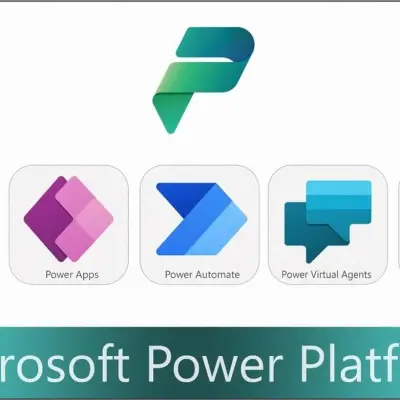
At their core, Microsoft Power Apps are part of the wider Microsoft Power Platform, which also includes:
Power BI (data reporting and analytics)
Power Automate (workflow automation)
Copilot Studio (formerly Power Virtual Agents)
Power Pages (web portals and partner sites)
Power Apps themselves are a low-code/no-code development platform, meaning businesses can build applications without needing extensive programming knowledge.
This makes it possible to create custom business applications quickly, using drag-and-drop tools instead of traditional coding.
Why Are Power Apps So Popular?
During the session, one key theme stood out: flexibility.
Unlike off-the-shelf software, Power Apps allow businesses to:
Build systems tailored to their exact processes
Adapt and scale applications as the business grows
Integrate seamlessly with Microsoft 365 and other tools
Reduce reliance on spreadsheets and manual processes
As Craig highlighted, this is becoming a major growth area, especially as organisations look for smarter, more efficient ways to work without investing in complex development projects.
Canvas vs Model-Driven Apps: What’s the Difference?
A key part of the webinar focused on the two types of Power Apps:
1. Canvas Apps
These are highly visual, flexible apps built using a drag-and-drop interface.
Ideal for single-purpose applications
Fully customisable design and layout
Great for things like:
Event lead capture apps
Simple data entry tools
Department-specific solutions
Think of them like building an app in the same way you would design slides in PowerPoint—visual, intuitive, and fast.
2. Model-Driven Apps
Model-driven apps are more suited to complex, business-wide systems.
Built on Microsoft’s Dataverse database
Designed for scalability and structure
Ideal for:
CRM systems
Service management platforms
End-to-end business processes
These apps come with powerful, built-in features such as security controls, automation, reporting, and integrations, making them a strong alternative to traditional business software.
Real-World Use Cases for Power Apps
One of the most valuable parts of the webinar was exploring how businesses are actually using Power Apps in practice.
Here are some common examples:
Replacing Spreadsheets
Many organisations rely heavily on spreadsheets to manage critical data. Power Apps can transform these into secure, scalable applications that multiple users can access simultaneously—without the limitations of Excel.
Building a Bespoke CRM
Instead of forcing your business to fit into a rigid CRM system, Power Apps allow you to create a fully customised CRM that matches your sales process.
Automating Business Processes
From capturing data to generating documents, Power Apps can streamline repetitive tasks and integrate with tools like Word and Adobe Sign for automated document generation and approvals.
Supporting Field-Based Teams
Mobile-friendly Power Apps allow field workers to:
Capture data on-site
Use features like barcode scanning and signatures
Work offline and sync data once reconnected
Replacing Legacy Systems
Many businesses still rely on outdated systems or databases. Power Apps provide a modern, cloud-based alternative—helping organisations digitise and future-proof their operations.
From Manual Processes to Intelligent Automation
A simple way to identify opportunities for Power Apps in your business is to ask:
Where are we still using paper forms?
Which processes rely heavily on spreadsheets?
Where are we sending emails back and forth to collect data?
If a process feels manual, repetitive, or fragmented, it’s likely a candidate for automation.
Power Apps help bring everything together into one connected system—what John described as “joined-up modern business”.
Scalability, Security, and Data Management
A common concern when adopting new technology is data security—and rightly so.
Power Apps use Microsoft’s Dataverse, which provides:
Enterprise-grade security
Automatic backups (with frequent restore points)
Scalable infrastructure that grows with your business
This means your systems can start small and expand over time, supporting everything from a handful of users to thousands.
The Future of Power Apps and the Power Platform
Looking ahead, Power Apps are only becoming more powerful.
With Microsoft investing heavily in:
AI and Copilot integration
Automation tools like Power Automate
Deeper Microsoft 365 integrations
we expect to see even more businesses adopting the platform to drive efficiency, reduce costs, and enable smarter decision-making.
Final Thoughts
Our Power Apps 101 webinar showed just how accessible and powerful this platform can be.
Whether you’re looking to:
Replace outdated systems
Build a custom business application
Improve efficiency across your organisation
Power Apps offer a flexible, scalable solution to help your business grow.
Want to Explore Power Apps for Your Business?
If you’d like to learn how Power Apps and the Microsoft Power Platform could benefit your organisation, get in touch with our team.
We’ll help you identify opportunities, explore use cases, and connect you with the right experts to bring your ideas to life.